Proxmox Virtualization Lab
Home lab virtualization environment using Proxmox VE to host Windows Server, Windows client, and Linux virtual machines for infrastructure testing.
Project Overview
This project demonstrates a self-hosted virtualization lab designed to practice system administration, Windows Server management, Active Directory testing, Linux administration, networking, and VM resource management.
Architecture Diagram
Physical Proxmox Host
    |
    |-- OPNsense Firewall/Router VM
    |
    |-- Windows Server 2022 VM
    |     |-- Active Directory
    |     |-- DNS
    |
    |-- Windows 11 Client VM
    |     |-- Domain Join Testing
    |     |-- User Authentication Testing
    |
    |-- Ubuntu Server VM
          |-- Linux Administration
          |-- Service Testing

Network:
LAN Gateway
   |
Proxmox Host
   |
vmbr0 Bridge WAN
   |
OPNsense Firewall/Router
   |
vmbr1 Bridge LAN
   |
Windows Server 2022
Windows 11
Ubuntu Server
Host System
- Installed Proxmox VE on dedicated hardware
- Assigned a static management IP address for Proxmox web access
- Created and managed virtual machines through the Proxmox web interface
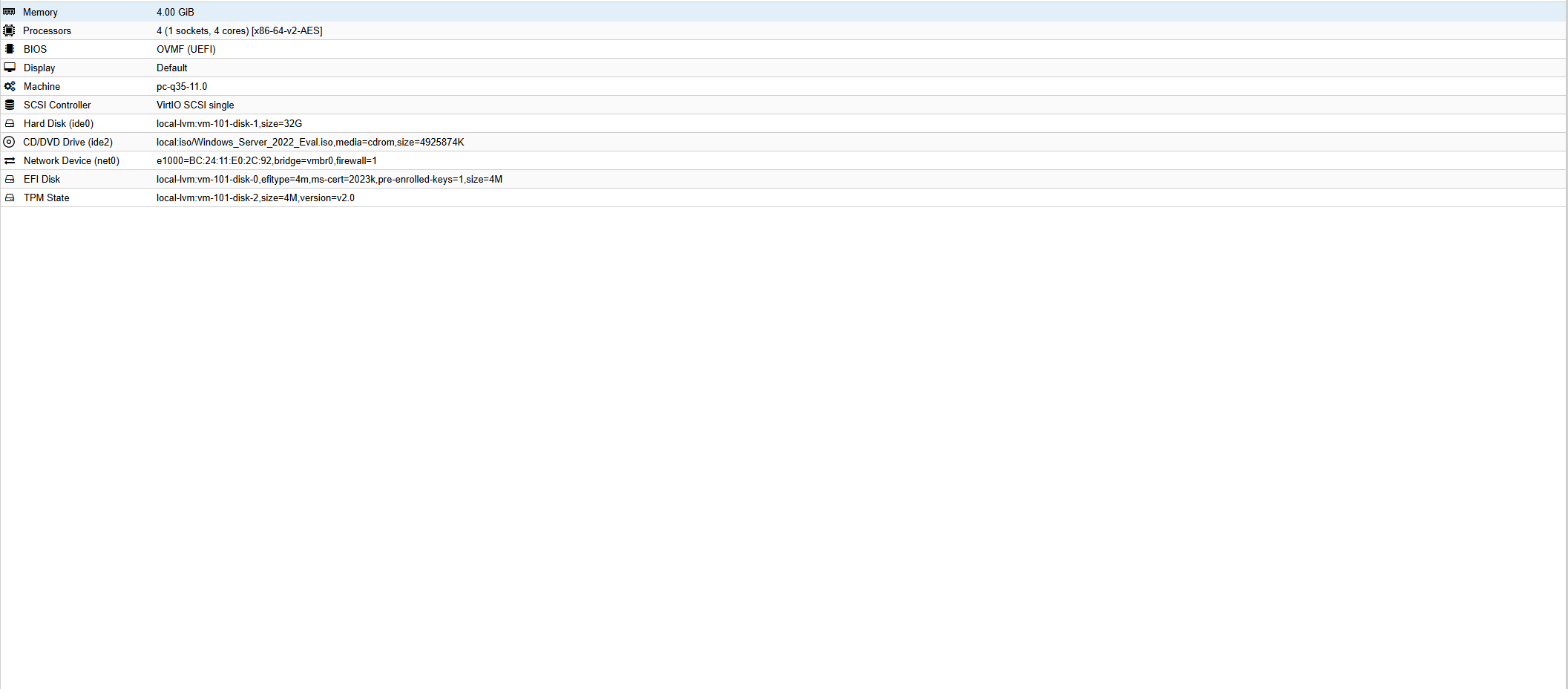
- Allocated CPU, memory, and storage resources for each virtual machine
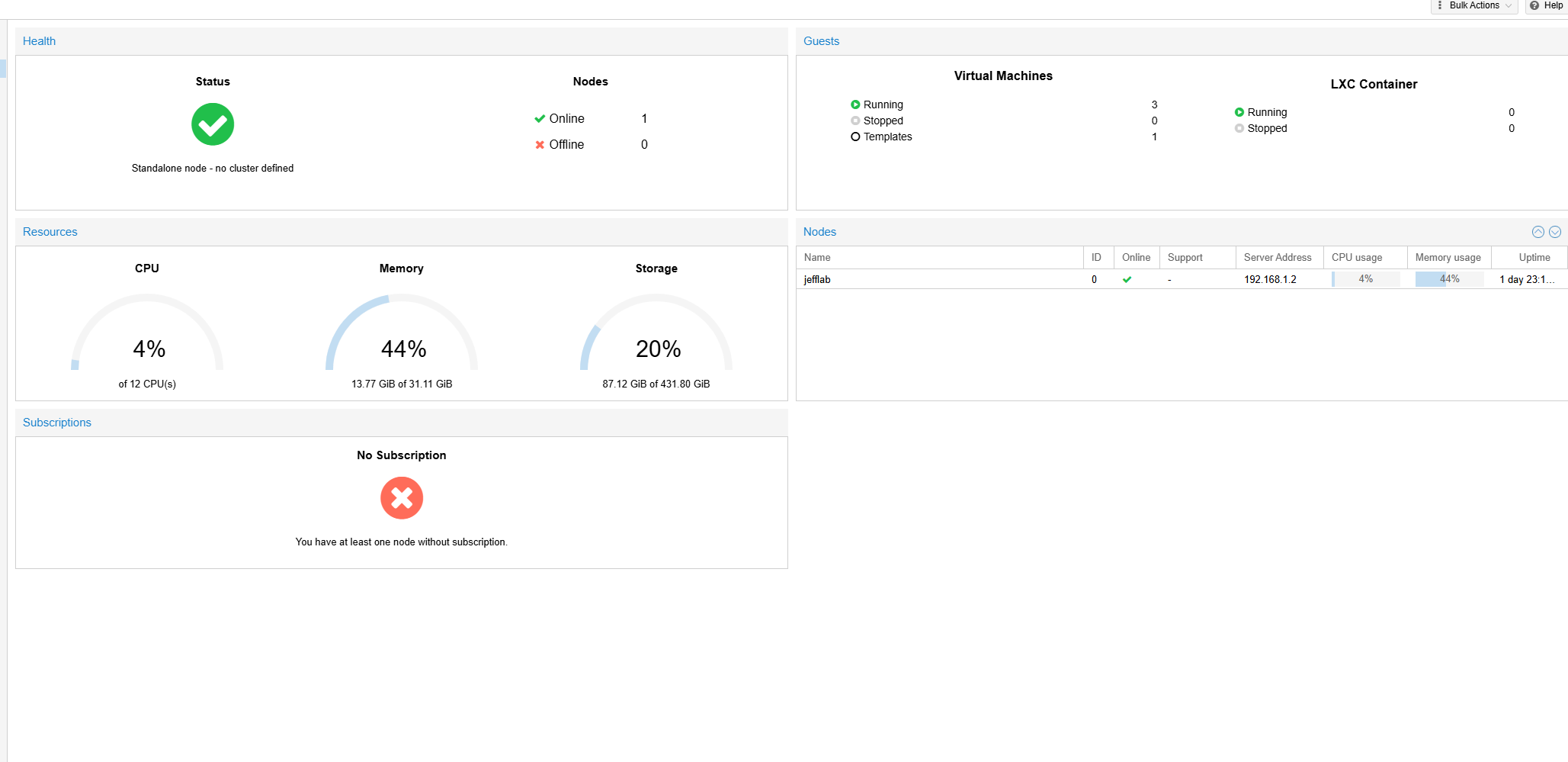
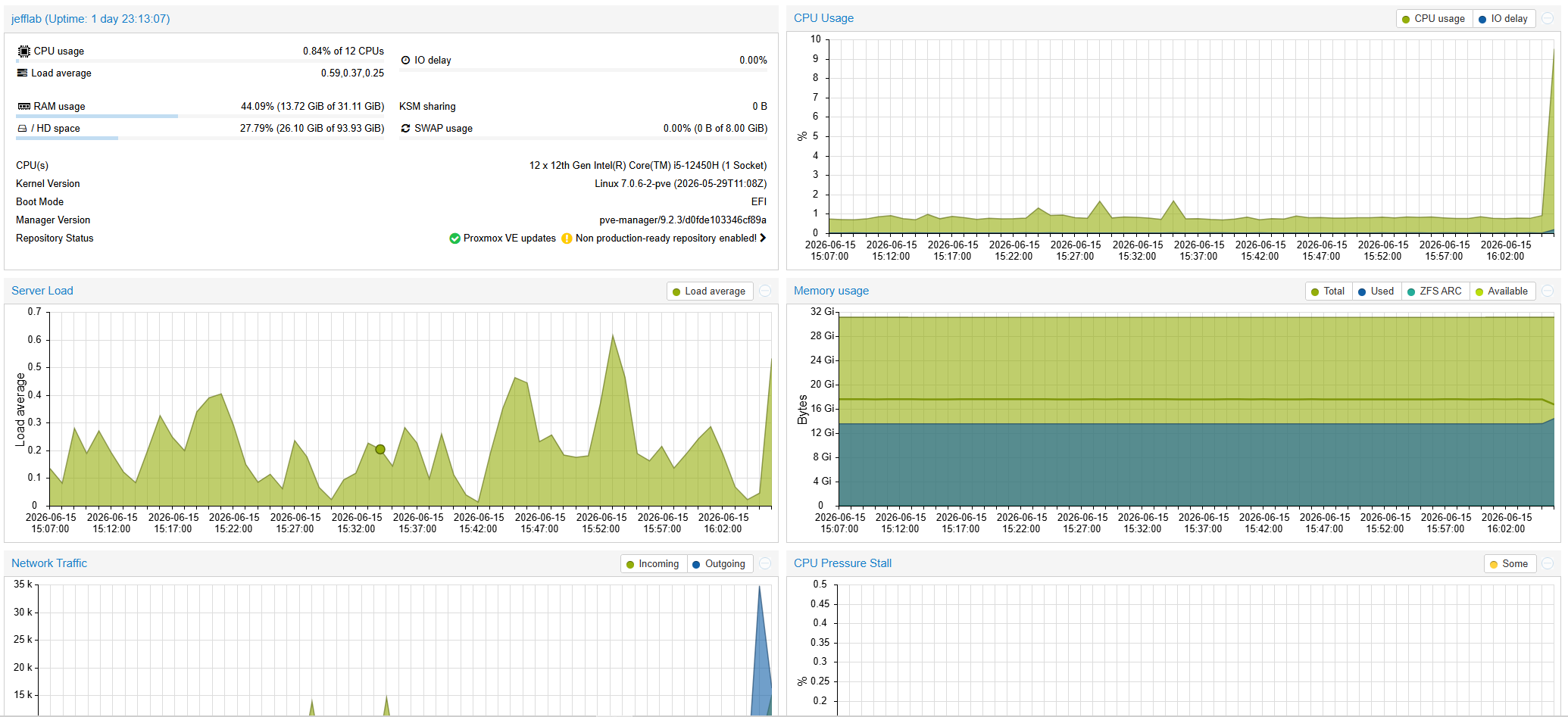
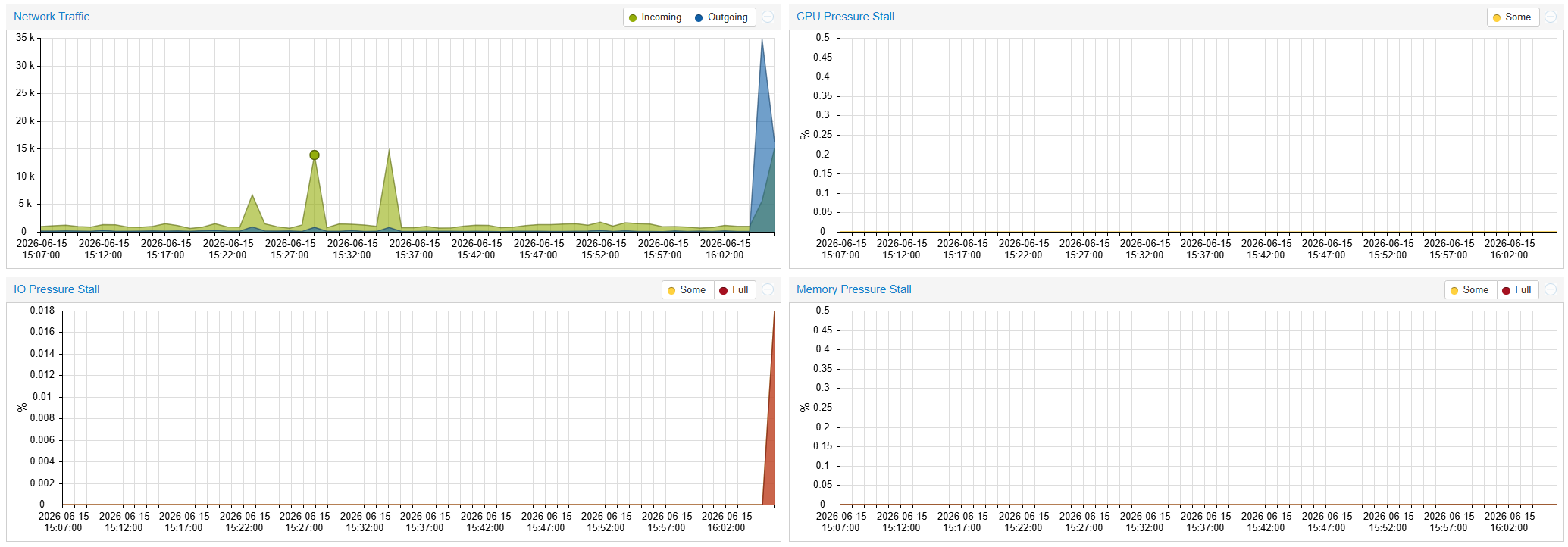
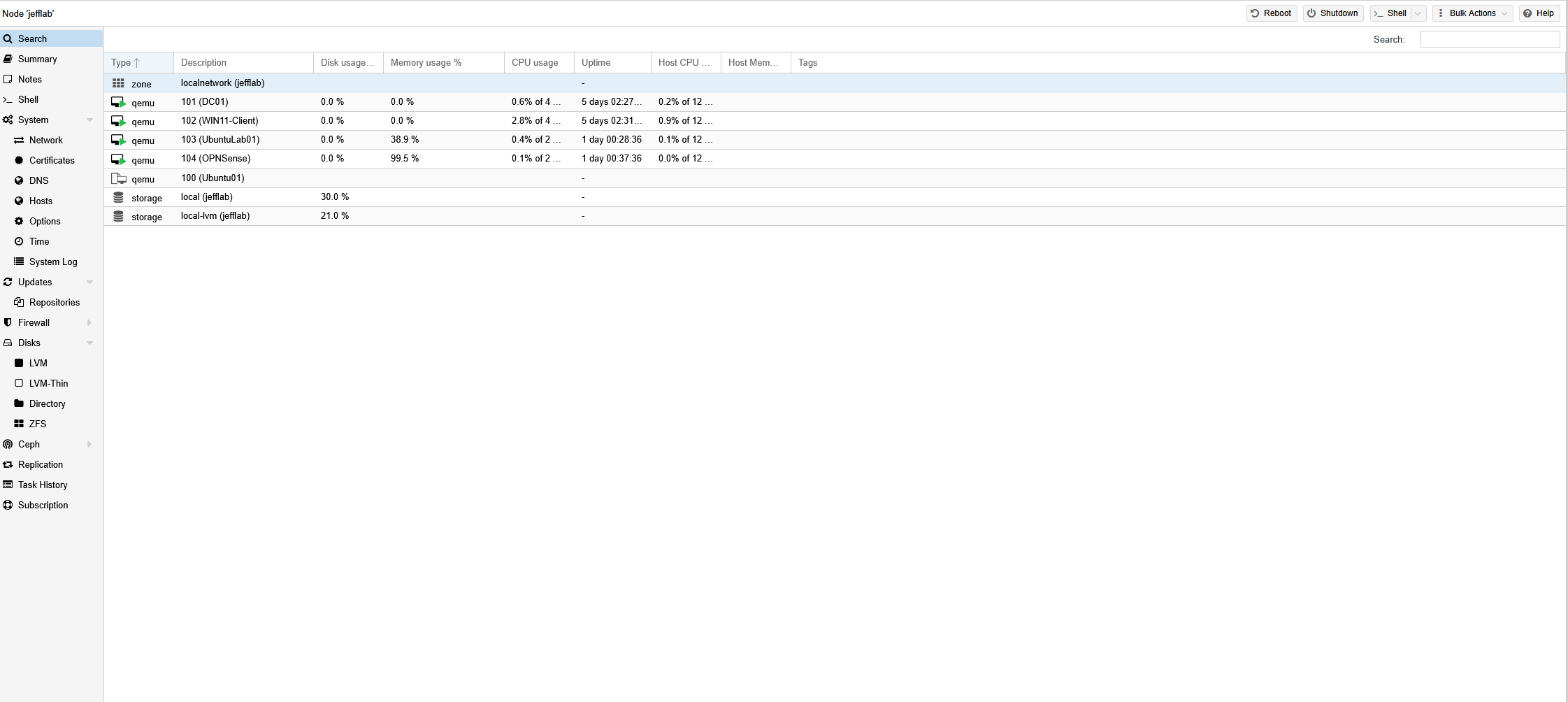
- Used Proxmox to monitor VM status, uptime, and resource usage
Virtual Machine Environment
Multiple virtual machines were created to simulate a small business lab environment for server administration and endpoint testing.
- Deployed Windows Server 2022 virtual machine
- Deployed Windows 11 client virtual machine
- Deployed Ubuntu Server virtual machine
- Deployed OPNsense virtual machine
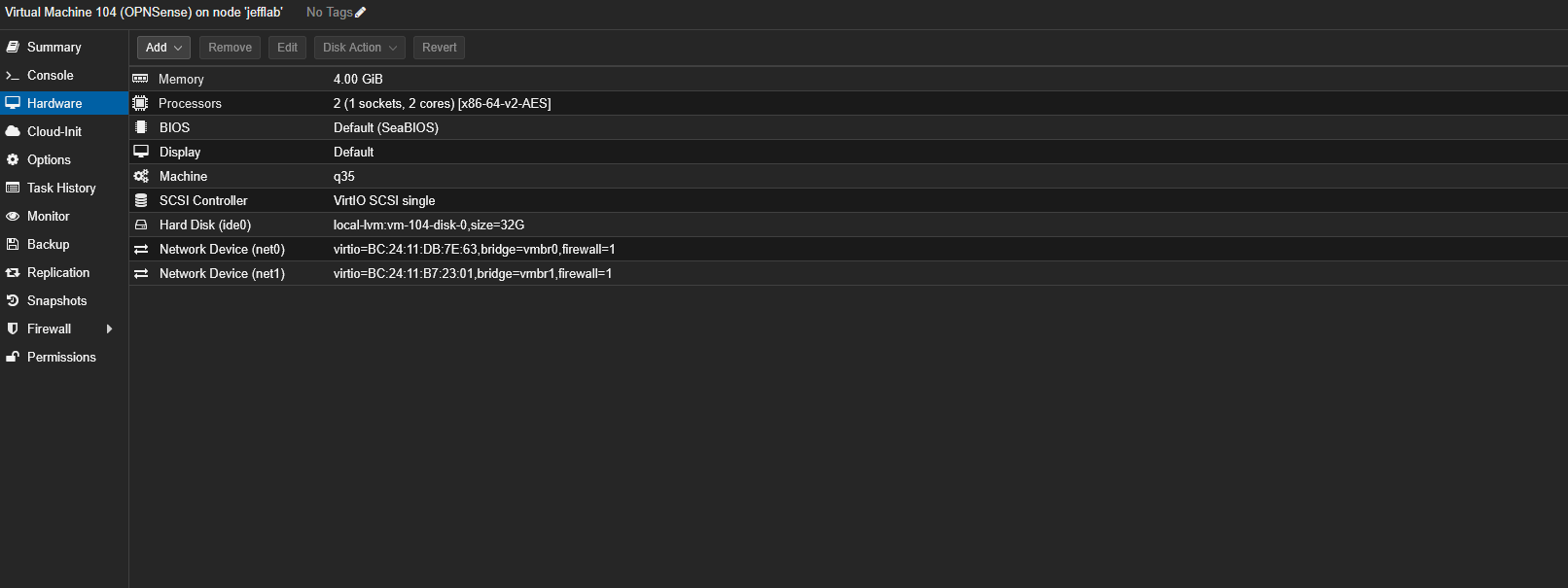
- Configured VM storage, CPU cores, RAM, and network adapters
- Used VMs to test domain services, Linux services, and network connectivity
Virtualized Network Infrastructure
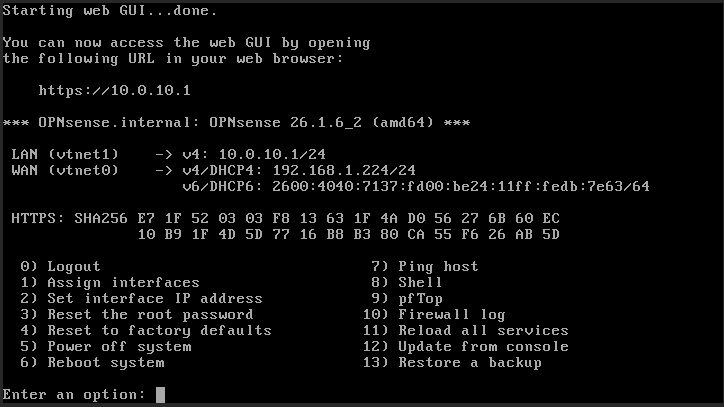
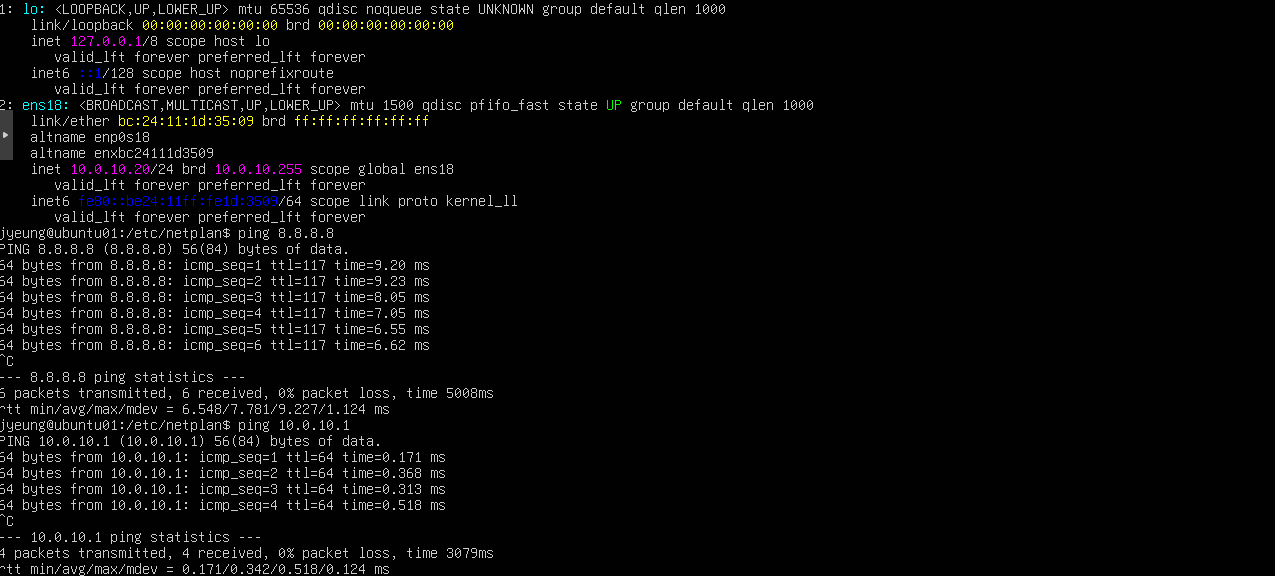
The lab uses Proxmox virtual networking to provide connectivity between Windows Server, Windows 11, Ubuntu Server, and OPNsense virtual machines. Proxmox was assigned a static management IP address, and connectivity was validated between infrastructure components to support Active Directory, DNS, authentication, and administrative services.
- Assigned Proxmox a static IP address for management access
- Configured virtual machine networking within Proxmox
- Validated communication between the domain controller and Windows client VM
- Confirmed Windows client connectivity to Active Directory services
- Troubleshot DNS and domain join connectivity during lab deployment
- Deployed an OPNsense firewall VM for network security and traffic management
- Created and tested firewall rules to control communication between lab systems
Technologies Used
- Proxmox VE
- Windows Server 2022
- Windows 11
- Ubuntu Server
- Active Directory
- DNS
- Linux Bridge Networking
- Virtual Machines
- System Administration
- OPNsense
Security & Administration
- Kept Proxmox management access limited to the internal network
- Used separate virtual machines for server, client, and Linux testing
- Maintained separation between lab workloads and public-facing services
- Used screenshots instead of exposing administrative interfaces publicly
Lessons Learned
- Configured and managed Type 1 hypervisor infrastructure
- Troubleshot bridge networking and VM connectivity
- Allocated CPU, memory, and storage resources across multiple VMs
- Tested Windows domain services in an isolated lab environment
- Improved understanding of virtualization used in system administration roles